Before understanding Java, let's first understand what programming actually is
1. What is Programming?
Think of a computer like a very fast assistant
- Imagine you have an assistant who can work extremely fast
- You tell the assistant what to do, and it gets the work done quickly
- But the assistant needs clear instructions — it can't guess what you want
- So you give it instructions step by step, and it follows them to complete the task
What is programming?
- Programming simply means giving instructions to a computer
- For example: Take 10, take 20, add them, and show the answer
- The computer follows these instructions and gives us 30
- This process of giving instructions to a computer is called programming
- Computers don't naturally understand languages like English or Telugu
- So we use programming languages like Java, Python, C++, and JavaScript to give them instructions
2. What is Java?
- Java is a programming language created by James Gosling and his team at Sun Microsystems
- It was released in 1995, and its original name was "Oak"
- Java was designed around a simple idea: "Write Once, Run Anywhere" — write your code once and, in many cases, run it on different types of computers without rewriting it
- This is possible because Java code runs inside something called the JVM (Java Virtual Machine), which helps Java work with the computer underneath it
- Because of this, Java became popular for building large and reliable software that needs to work across different systems
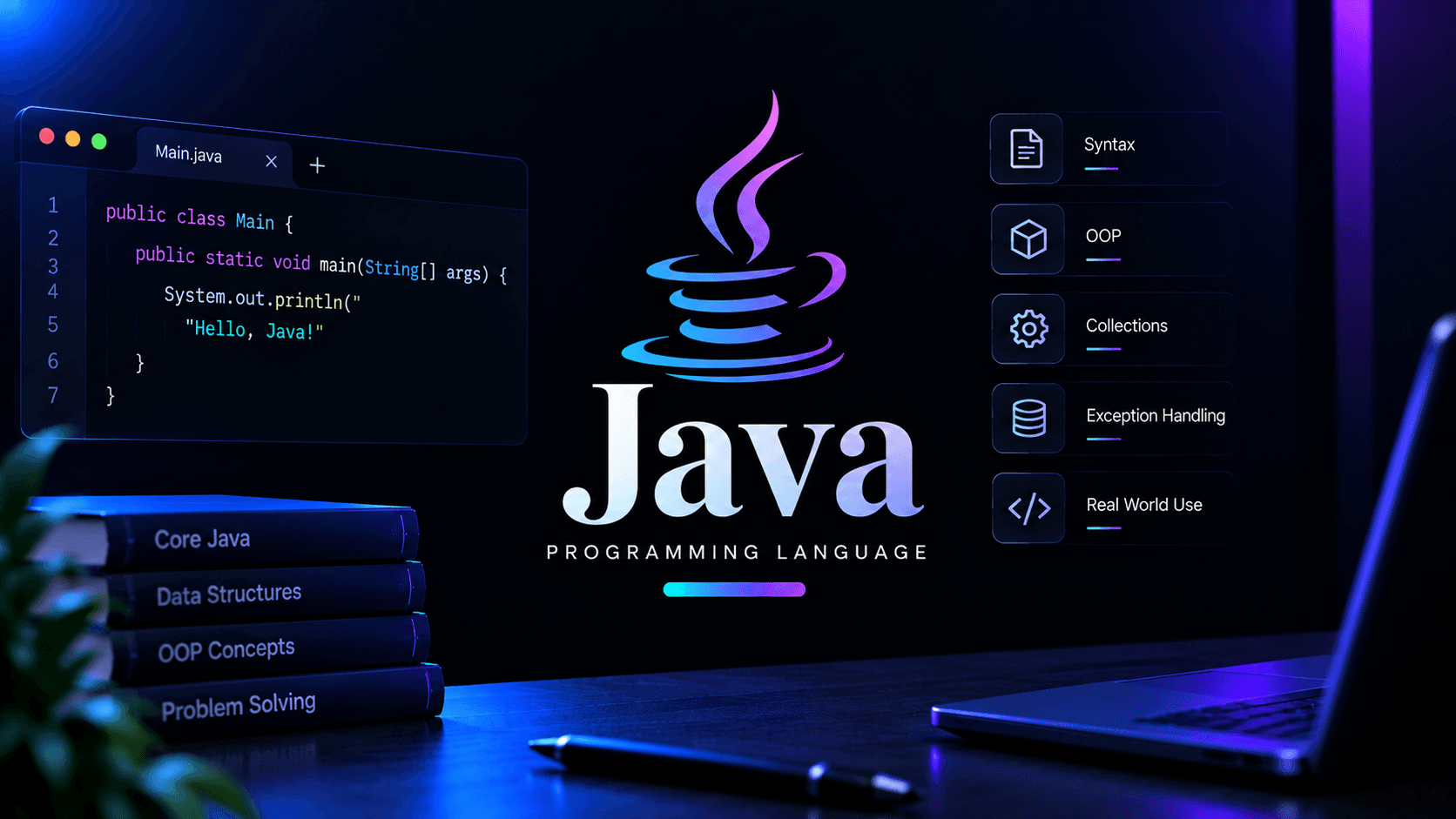
How Java code looks?
3. Where Java is actually used in real life
- Android apps — Java has been one of the main languages used to build Android applications
- Business software — Java is widely used to build large systems for banks, companies, shopping platforms, and other businesses
- Web backends — Java is used behind many websites and apps to handle things like users, payments, data, and requests
- Big data tools — Java is used in tools that work with and process huge amounts of data
- Desktop applications — Java can be used to create applications that run directly on computers
- Smart devices and IoT — Java is also used in some devices that need software to run reliably across different systems
4. What Makes Java Special?
- Works across different systems — Java programs can run on Windows, Mac, and Linux with the help of the JVM
- Object-oriented — Java organizes programs using things called classes and objects, which helps keep large programs organized
- Automatic memory management — Java automatically cleans up memory that your program no longer needs, so you don't have to do everything yourself
- Strongly typed — Java makes you clearly specify what kind of data you're working with, which helps catch many mistakes early
- Huge ecosystem — Java has a large collection of libraries, tools, and frameworks that developers can use instead of building everything from scratch
- Good for large programs — Java's structure helps developers organize and maintain large software projects
5. Should you Learn Java First?
- Learn Java if you want a programming language that is beginner-friendly while also being widely used for large software projects
- Java is a good choice if you're interested in backend development, Android development, enterprise software, or object-oriented programming
- Java is also commonly used for learning Data Structures and Algorithms (DSA) because it provides many useful built-in tools for working with data
- If your goal is to quickly build simple websites, scripts, or small projects, languages like Python or JavaScript may feel easier to start with
- You don't have to learn Java first — you can start with another language and learn Java later when you need it
Java can feel a little difficult at first because you have to write more structure even for a simple program. For example, "Hello World" needs a class and a method around it. That can feel unnecessary in the beginning, but this structure helps you organize bigger programs later. So if Java feels a little wordy at first, that's completely normal
6. Learning Path for Java
Basic
- Syntax and program structure — learning the basic rules of Java and how a Java program is written
- Variables and data types — learning how to store information such as numbers, letters, and text
- Input and output — learning how a program receives information from a user and displays information back
- Operators — symbols used to do things like addition, subtraction, comparison, and other calculations
- Conditions — teaching a program how to make decisions using things like if and else
- Loops — making a program repeat something multiple times without writing the same code again
- Methods — reusable pieces of code that perform a particular task
- Arrays — storing multiple values of the same type together
- Strings — working with text such as names, sentences, and messages
- Classes and objects — learning how Java organizes information and behavior using classes and objects
Intermediate
- Constructors — special parts of a class that help set up an object when you create it
- Encapsulation — keeping related data and code together while controlling how that data can be accessed
- Inheritance — creating a new class based on an existing class and reusing what the existing class already has
- Polymorphism — allowing the same piece of code to work in different ways depending on the situation
- Interfaces and abstract classes — ways of defining what a class should do without necessarily providing all the details
- Exception handling — dealing with unexpected problems in your program without letting the whole program suddenly crash
- Collections framework — ready-made tools for storing groups of data, such as lists, sets, and maps
- File handling — reading information from files and saving information into files
- Packages — organizing related classes together, similar to putting related files into folders
Advanced
- Generics — writing code that can safely work with different types of data
- Multithreading and concurrency — allowing a program to handle multiple tasks at the same time
- Lambda expressions — writing small pieces of functionality in a shorter way
- Streams API — processing and working with collections of data in a cleaner way
- JVM internals — understanding how the Java Virtual Machine works behind the scenes
- Java memory management — understanding how Java uses memory and how garbage collection works
- Design patterns — commonly used ways of solving problems that appear repeatedly when building software
- Modern Java — learning newer Java features and using Java in a cleaner and more modern way
Optional — pick based on what you want to build, not because you need all of them to be good at Java
- Android development (optional) — using Java to build Android applications
- Spring / Spring Boot (optional) — popular tools for building backend applications with Java
- Enterprise Java (optional) — tools and technologies used to build large business applications
- Big data with Java (optional) — using Java-based tools to work with very large amounts of data
- Testing frameworks (optional) — tools like JUnit that help automatically check whether your code works correctly
- Build tools (optional) — tools like Maven and Gradle that help manage a Java project's libraries and build process